
Creating a desk setup that promotes both focus and comfort is key to staying productive throughout your workday. Whether you’re working from home, at an office, or pursuing creative projects, the way your workspace is arranged plays an important role in how well you can concentrate and avoid discomfort or fatigue.
In this post, we’ll explore practical tips and ideas for designing a desk setup that helps you stay comfortable and focused, from choosing the right furniture to organizing your essentials. Let’s dive in!
Choose an Ergonomic Chair and Desk
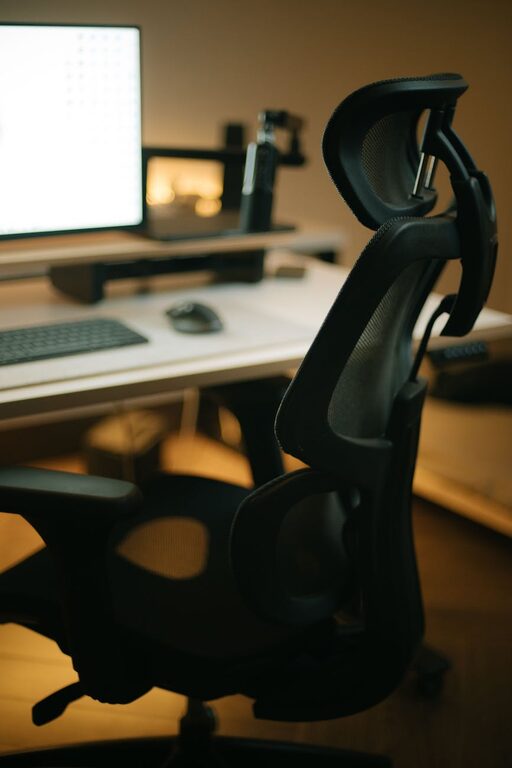
Invest in a Supportive Chair
A good chair supports your posture and helps prevent back pain and strain. Look for a chair with adjustable height, lumbar support, and comfortable cushioning. Your feet should rest flat on the floor, and your knees should be roughly level with your hips while sitting.
Opt for a Comfortable Desk Height
Your desk should allow your arms to rest comfortably at a 90-degree angle while typing. Standard desk height is usually around 28 to 30 inches, but adjustability or using a desk riser can help fine-tune your setup if needed.
Position Your Screen to Reduce Eye Strain
Eye Level Monitor Placement
Place your laptop or monitor so the top of the screen is at or just below eye level. This prevents neck strain by keeping your head in a natural position. Using a laptop stand or external monitor can make this easier.
Maintain Proper Distance
Keep your screen about an arm’s length away from you. This distance reduces eye strain and lets you comfortably view the entire screen without excessive head movements.
Minimize Glare
Arrange your desk to avoid direct light hitting your screen, which causes glare and reflection. Use blinds or curtains on windows if necessary, and consider an anti-glare screen cover.
Organize Your Workspace for Efficiency
Keep Frequently Used Items Within Reach
Store items such as pens, notebooks, or your phone close by to avoid repetitive stretching. This keeps your workflow smooth and minimizes distractions.
Declutter Regularly
A cluttered desk can hinder your focus. Spend a few minutes each day tidying up your workspace by removing unnecessary items and organizing papers in trays or drawers.
Use Storage Solutions
Drawer organizers, shelves, or desk organizers help keep everything in its place. When your desk stays neat, it’s easier to stay focused on your tasks.
Optimize Lighting for Comfort and Alertness
Use Natural Light When Possible
Natural light can improve mood and productivity. Position your desk near a window to take advantage of daylight, but be mindful of glare on your screen.
Add Task Lighting
Desk lamps with adjustable brightness and direction let you customize lighting for reading or detailed work. Warm or neutral lighting tends to be easier on the eyes than harsh, cool fluorescent lights.
Pay Attention to Your Accessories
Invest in a Quality Keyboard and Mouse
Ergonomic keyboards and mice reduce strain on your wrists and hands. If you spend hours typing, these small changes can make a big difference in comfort.
Consider a Wrist Rest
A soft wrist rest for your keyboard or mouse can help maintain natural wrist alignment and prevent discomfort.
Use a Footrest
If your feet don’t rest comfortably on the floor, a footrest improves posture and circulation.
Add Personal Touches Without Overcrowding
While your desk should be functional, adding a few personal items can make your workspace pleasant and inviting. Consider a small plant, a photo frame, or a motivational quote. Avoid overdecorating, as too many items can create distractions.
Take Breaks and Move Around
No desk setup can replace the benefits of regular breaks. Stand up, stretch, or take a short walk every hour to reduce fatigue and improve circulation.
Final Thoughts
A well-thought-out desk setup can greatly enhance your focus and comfort while working. Prioritize ergonomics, organization, lighting, and personalization to create a space you enjoy spending time in. With a few adjustments, you’ll find it easier to stay productive and feel good throughout your day.
Try out these tips and experiment with what works best for you—your ideal workspace is just a few tweaks away!